
Module · Playout
The whole air on one screen
What is on, what comes next, and how long is left. No second window, and nobody to call.
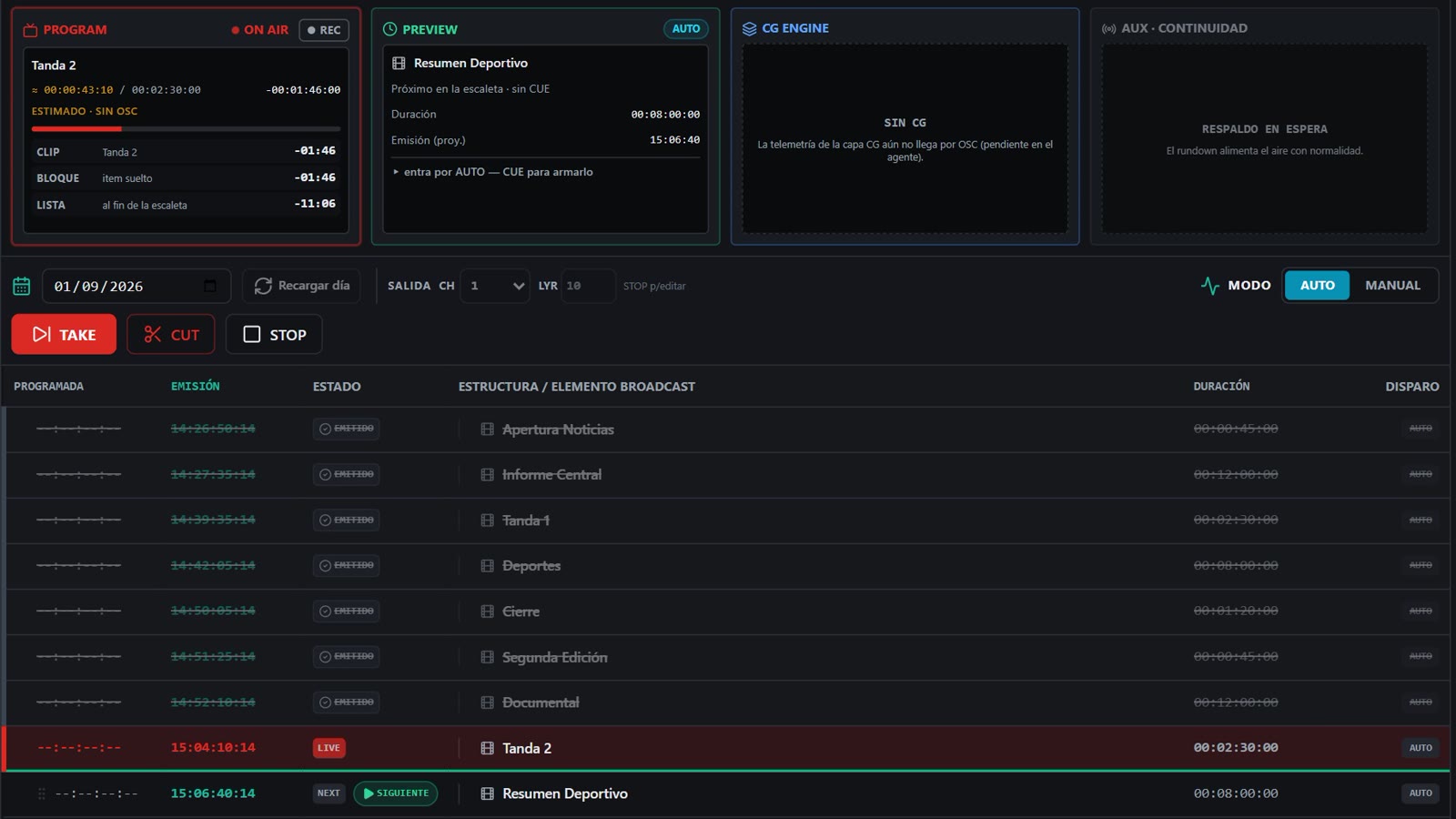
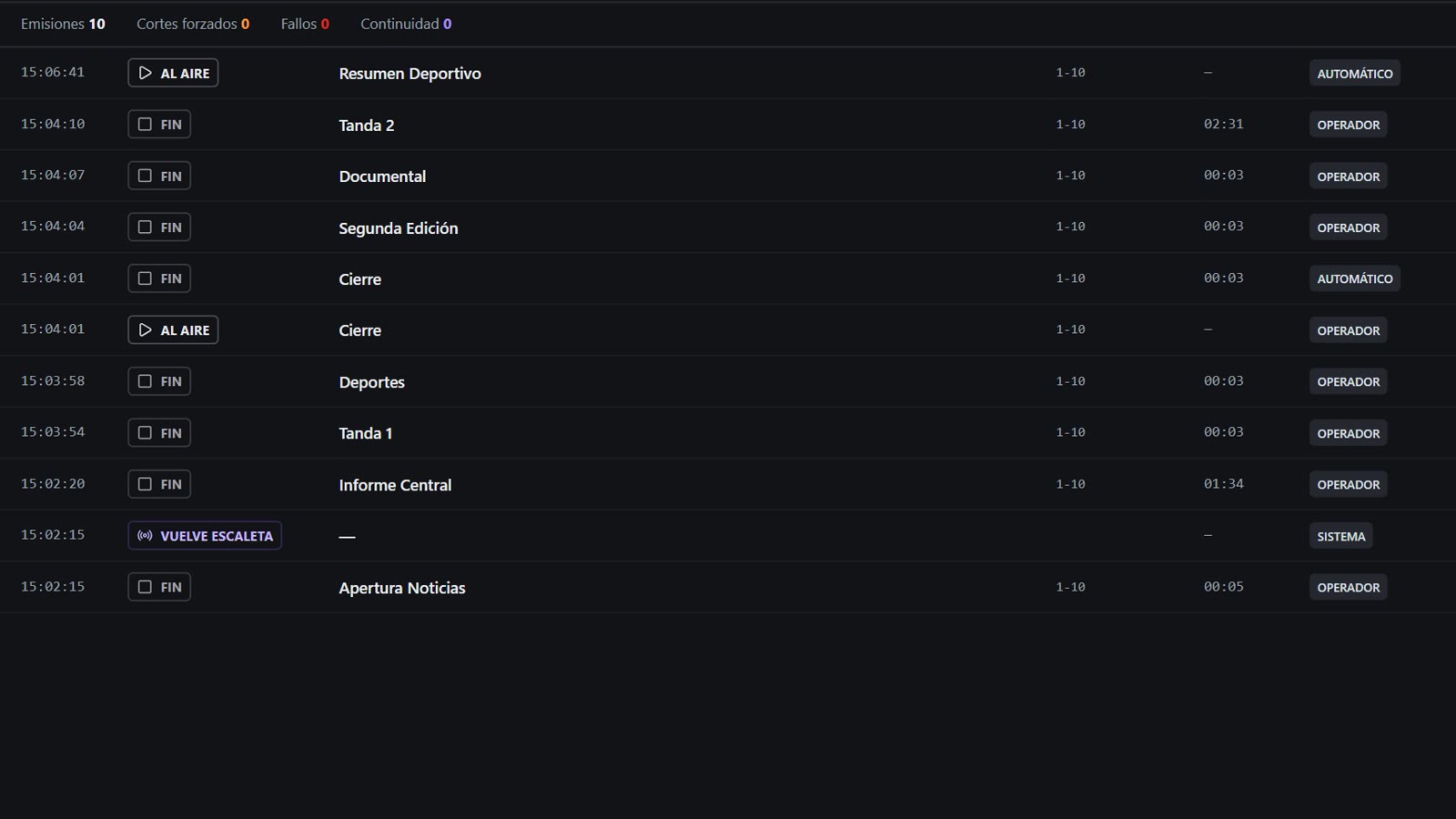
PROGRAM, PREVIEW and the day's rundown, on the operator's screen.
What it does
What the operator needs on the night shift, and what the engineer needs the next morning.
-
PROGRAM and PREVIEW
What is on air and what comes next, with the time left on the clip, on the block and on the whole list.
-
AUTO and MANUAL
In AUTO the rundown advances on its own. In MANUAL the operator fires with TAKE, cuts with CUT or holds with STOP.
-
Automatic continuity
If a file is missing or fails, the signal does not drop: it carries on instead of going to black.
-
Hot insert
Drop in a spot or move a block with the channel on air. The list is edited live, without taking the signal down.
-
As-Run
A record of what WENT OUT, not of what was scheduled. That is the difference between guessing and answering.
-
Kiosk mode
The station boots straight into the application, with no desktop and no access to the system. The operator cannot break the machine.
Technical sheet
| Video engine | Bundled in the installer. Nothing to buy or install separately |
|---|---|
| Output | Per channel, through the machine's video card or video output |
| Modes | AUTO (the rundown advances on its own) and MANUAL (the operator fires) |
| On-air controls | TAKE, CUT and STOP, plus rewind and retakes over the list |
| Log | As-Run with the real air time, and whether each item went out on its own or an operator fired it |
| Output recording | Yes, while the signal is on air — that is the Recording module, licensed separately |
| Permissions | By area: who gets the air, who gets scheduling, and who only gets the log |
Request a demo
Tell us about your channel and what you go on air with today. We'll show you the product running, and then we'll talk numbers.
We use your details only to reply to you. We don't share them with anyone.